
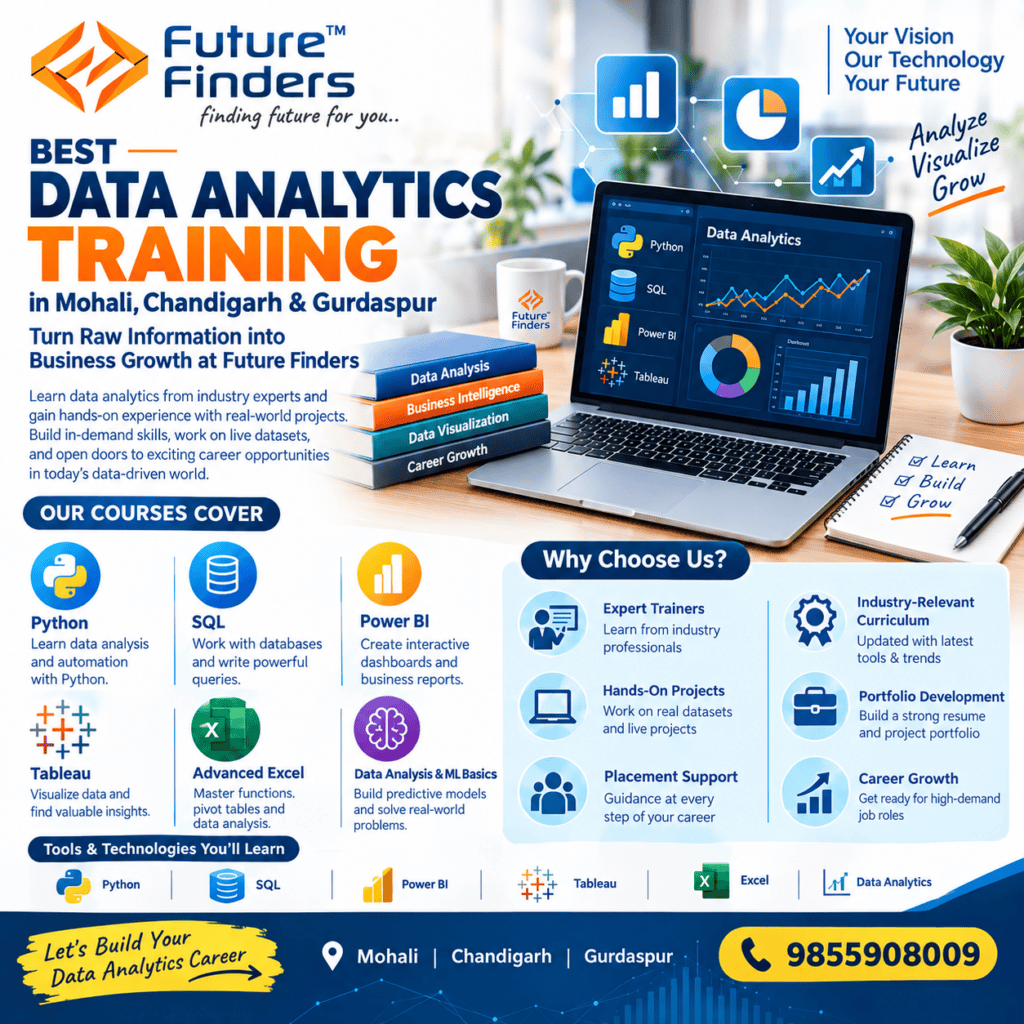
Best Data Analytics Training in Mohali, Chandigarh & Gurdaspur: Turn Raw Information into Business Growth at Future Finders
Build a high-demand career in business intelligence and data-driven decision-making with the best Data Analytics training in Mohali, engineered to transform beginners, college graduates, and working professionals into job-ready data analysts. Future Finders provides a practical, industry-aligned training framework covering data extraction, statistical analysis, data cleaning, automated dashboard engineering, and predictive modeling. Whether you are searching for the best Data Analytics training in Chandigarh or seeking the best Data Analytics training in Gurdaspur, our interactive classroom cohorts and instructor-led online sessions prepare you to solve real enterprise business challenges and excel in top corporate hiring rounds.
Through structured hands-on laboratory projects, you will master the full data analytics lifecycle. Progress smoothly from advanced spreadsheet modeling in Excel and relational database querying using SQL to programming data pipelines with Python (Pandas, NumPy) and creating interactive business dashboards using Microsoft Power BI and Tableau. Learn how to uncover hidden operational trends, automate KPI tracking, and translate raw figures into executive-ready business insights. With dedicated placement assistance, resume optimization, and mock technical interviews across Mohali, Chandigarh, and Gurdaspur, Future Finders empowers you to land roles such as data analyst, business analyst, BI developer, and reporting specialist.
What is Modern Data Analytics?
Data analytics is the science of analyzing raw datasets to identify patterns, answer commercial questions, and guide strategic business actions. Modern data analytics integrates a multi-tool technical stack:
- Relational Database Querying (SQL): Extracting, aggregating, and joining multi-table data from enterprise transactional databases.
- Exploratory Data Analysis (Python): Cleansing malformed records, processing complex dataframes, and performing exploratory data analysis (EDA) using libraries like Pandas, NumPy, and Seaborn.
- Business Intelligence & Visual Analytics: Building interactive, automated dashboards and executive reports using tools like Power BI (DAX) and Tableau.
Core Advantages of a Career in Data Analytics
Every modern enterprise across banking, healthcare, retail, logistics, and digital marketing depends on data analysts to minimize costs, optimize marketing spend, and identify revenue opportunities. Because organizations generate more data than ever before, skilled professionals who can bridge the gap between technical data warehousing and executive decision-making command premium salaries, strong job stability, and rapid career progression.
Learn from Certified Enterprise Data Consultants
Future Finders delivers the best Data Analytics course in Mohali and the northern technology belt through seasoned business intelligence managers and data architects. Our mentors bring real corporate consulting experience from leading technology and financial enterprises. Having built executive reporting engines, customer retention dashboards, and financial forecast models for domestic and multinational firms, our instructors ensure students in Mohali, Chandigarh, and Gurdaspur acquire practical analytical thinking, data storytelling skills, and production-ready querying techniques rather than surface-level textbook exercises.
Specialized Allied Technology Modules
Modern data analysts require a cross-functional toolkit to manage data from source to dashboard. Our Data Analytics training in Mohali, Chandigarh, and Gurdaspur integrates vital allied modules into your learning journey:
- Advanced Excel & Spreadsheet Modeling: Master XLOOKUP, INDEX/MATCH, dynamic array formulas, nested logic, Pivot Tables, conditional formatting, and dashboard automation using Power Query.
- Data Warehousing & Cloud Foundations: Understand data warehouse architectures (Star schema, Snowflake schema), ETL (Extract, Transform, Load) pipelines, and cloud data platforms like Snowflake and Google BigQuery.
- Applied Business Statistics: Learn practical statistical concepts including mean, median, standard deviation, hypothesis testing, A/B testing evaluation, and correlation vs. causation.
- Data Storytelling & Presentation: Translate complex statistical metrics into actionable business stories, structuring executive PowerPoint presentations that drive strategic initiatives.
- Automated Data Pipelines: Schedule and automate recurring reporting tasks using Python scripts and database cron jobs, eliminating manual reporting overhead.
Core Technical Pillars & Architecture
Our program delivers production-grade analytical skills with deep hands-on practice across foundational, programming, and visualization pillars:
- Advanced SQL for Data Analysis: Master SELECT queries, filtering (WHERE, HAVING), multi-table INNER/OUTER/CROSS JOINs, GROUP BY aggregations, Subqueries, Common Table Expressions (CTEs), and analytical Window Functions (ROW_NUMBER, RANK, DENSE_RANK, LEAD, LAG).
- Python for Data Science & Wrangling: Learn fundamental Python programming, data structures, importing CSV/Excel/JSON files, and data manipulation with Pandas (filtering, grouping, handling missing values, pivoting, and merging dataframes).
- Exploratory Data Analysis & Visualization: Uncover distributions, outliers, and trends using Matplotlib and Seaborn, generating scatter plots, histograms, heatmaps, and box plots.
- Power BI & Business Intelligence: Model data relationships, create dimensional data models, design interactive reports, implement row-level security (RLS), and publish dashboards to the Power BI Service.
- DAX (Data Analysis Expressions): Write calculated columns and dynamic measures in Power BI using functions like CALCULATE, FILTER, ALL, RELATED, and Time Intelligence functions (YTD, QTD, SAMEPERIODLASTYEAR).
- Visual Storytelling with Tableau: Build calculated fields, parameters, table calculations, interactive filters, dual-axis charts, and executive-level stories in Tableau Desktop.
- Data Cleansing & Validation: Detect and handle null values, duplicate entries, data type mismatches, and structural discrepancies to ensure high data integrity.
- Predictive Analytics & Forecasting Basics: Apply linear regression, logistic regression, and time-series moving averages to predict operational demand and customer sales trends.
Advanced Data Analytics: Practical Industry Focus
Whether you enroll for the best Data Analytics training in Mohali, join interactive classes through the best Data Analytics training in Chandigarh, or sign up for dedicated cohorts for the best Data Analytics training in Gurdaspur, Future Finders ensures you develop real engineering competence:
- 100% Industry-Relevant Projects: Work on real-world datasets from eCommerce sales, supply chain logistics, banking fraud detection, and marketing performance.
- Interactive Portfolio Building: Build end-to-end projects featuring automated SQL pipelines, Python data processing, and live Power BI/Tableau dashboard links for your GitHub and LinkedIn profiles.
- Executive Presentation Skills: Present your findings in simulated boardroom reviews, answering stakeholder questions and justifying your analytical recommendations.
- Complete Placement Support: Benefit from technical mock interviews, SQL live-coding challenges, portfolio optimization, and direct placement drives with reputed IT and corporate employers.
Data Analytics Course
- Day 1: Excel interface, data entry, formatting
- Day 2: Excel formulas: SUM, IF, COUNTIFS
- Day 3: VLOOKUP, XLOOKUP, INDEX-MATCH practice
- Day 4: Data cleaning in Excel
- Day 5: Sorting, filtering, conditional formatting
- Day 6: Pivot tables on sales data
- Day 7: Excel charts and dashboard
- Day 8: Mini project: Excel sales dashboard
- Day 9: Install MySQL/PostgreSQL, create database
- Day 10: SELECT, WHERE, ORDER BY practice
- Day 11: Aggregate functions, GROUP BY, HAVING
- Day 12: Joins lab (inner, left, right)
- Day 13: Subqueries and CTEs
- Day 14: Window functions practice
- Day 15: Real dataset SQL analysis
- Day 16: Python basics for analysts
- Day 17: Python lists, dicts, functions practice
- Day 18: NumPy arrays practice
- Day 19: Pandas: load CSV/Excel, inspect
- Day 20: Pandas: cleaning missing/duplicate data
- Day 21: Pandas: filter, group, merge
- Day 22: Pandas: date handling and feature creation
- Day 23: Matplotlib charts
- Day 24: Seaborn visualizations
- Day 25: EDA project on a real dataset
- Day 26: Power BI install, connect data
- Day 27: Power Query transformations
- Day 28: Data modeling and relationships
- Day 29: DAX measures basics
- Day 30: DAX advanced: time intelligence
- Day 31: Visuals: bar, line, map, matrix
- Day 32: Build interactive dashboard
- Day 33: Publish and share reports
- Day 34: Tableau basics: connect and charts
- Day 35: Tableau dashboard
- Day 36: Statistics practice in Python: mean, correlation
- Day 37: Hypothesis testing lab
- Day 38: A/B test analysis exercise
- Day 39: Case study: sales analytics
- Day 40: Case study: HR/customer churn analytics
- Day 41: Capstone: choose dataset, define KPIs
- Day 42: Capstone: clean and analyze data
- Day 43: Capstone: build dashboard
- Day 44: Capstone: insights report and presentation
Day 45: Final demo, resume and GitHub portfolio
- Week 1: Excel formulas, cleaning, lookups
- Week 2: Pivot tables and Excel dashboards
- Week 3: SQL queries, filters, aggregates
- Week 4: SQL joins, subqueries, CTEs
- Week 5: SQL window functions and case studies
- Week 6: Python, NumPy, Pandas practice
- Week 7: Data cleaning and EDA projects
- Week 8: Matplotlib and Seaborn visualization
- Week 9: Power BI: Power Query, modeling, DAX
- Week 10: Power BI dashboards and publishing
- Week 11: Tableau and statistics in practice
Week 12: Capstone project and portfolio
- Week 1: Excel essentials lab
- Week 2: Excel advanced functions, lookups
- Week 3: Pivot tables, charts, dashboards
- Week 4: Excel mini project
- Week 5: SQL basics
- Week 6: SQL joins and subqueries
- Week 7: SQL CTEs, window functions
- Week 8: SQL project on business data
- Week 9: Python fundamentals
- Week 10: NumPy and Pandas
- Week 11: Data cleaning and wrangling
- Week 12: EDA project
- Week 13: Matplotlib and Seaborn
- Week 14: Plotly and interactive charts
- Week 15: Power BI basics
- Week 16: Power Query and data modeling
- Week 17: DAX measures
- Week 18: Power BI advanced dashboard project
- Week 19: Tableau lab
- Week 20: Statistics and hypothesis testing in Python
- Week 21: Intro predictive analytics (regression)
- Week 22: Web scraping and API data collection
- Week 23: Industry case studies
Week 24: Capstone, portfolio, interview practice