
Best PHP Training in Mohali, Chandigarh & Gurdaspur: Master Full Stack Web Engineering at Future Finders
Build a high-demand web development career with the best PHP training in Mohali, engineered to take beginners, graduates, and aspiring coders to the level of enterprise-ready backend and full-stack software developers. Future Finders delivers a hands-on, industry-aligned training framework built around modern PHP standards, strict object-oriented programming (OOP), secure backend engineering, and framework ecosystems. Whether you are looking for the best PHP training in Chandigarh or seeking the best PHP training in Gurdaspur, our interactive classroom cohorts and instructor-led online sessions prepare you to develop high-performance web applications and clear technical hiring rounds at top IT firms.
Through dedicated practical lab sessions, you will gain comprehensive mastery over the entire server-side development lifecycle. Move progressively from foundational procedural PHP and modern PHP syntax (Type Hinting, Attributes, Match Expressions) to advanced Object-Oriented PHP, Composer package management, relational database engineering with MySQL, and the enterprise Laravel framework. Learn how to architect clean RESTful APIs, manage authentication security, build scalable multi-tenant web portals, and integrate cloud database engines. With resume preparation, technical mock interviews, and dedicated placement support across Mohali, Chandigarh, and Gurdaspur, Future Finders ensures you secure software development roles in leading IT organizations.
What is Modern PHP Web Development?
PHP powers over 75% of all server-side web applications globally, running mission-critical enterprise systems, content management platforms, and high-traffic eCommerce infrastructure. Far from legacy procedural scripting, modern PHP development is a strictly typed, lightning-fast backend environment:
- Modern PHP Runtime & Language Features: Leveraging current PHP features including strict typing, Constructor Property Promotion, Enums, Readonly Classes, and the JIT (Just-In-Time) compiler for near-instant execution.
- Enterprise Framework Architecture (Laravel): Utilizing the industry-standard MVC framework offering expressive ORM (Eloquent), elegant routing, database migrations, queue workers, and rapid boilerplate scaffolding.
- Dependency Management & Standards (Composer & PSR): Adhering to PHP-FIG standards (PSR-4, PSR-12) and managing external open-source packages and libraries cleanly through Composer.
Core Advantages of Modern PHP Engineering
Modern PHP delivers exceptional cost-to-performance efficiency, native web server compatibility, and rapid development speed. Applications developed with clean OOP PHP and Laravel maintain low memory footprints while efficiently handling thousands of concurrent requests. For digital agencies and enterprise IT teams, PHP provides unmatched ecosystem maturity, instant deployment workflows across traditional and serverless hosting, integrated support for all major relational and NoSQL databases, and rapid time-to-market compared to heavier backend stacks.
Learn from Proven Enterprise Backend Architects
Future Finders delivers the best PHP training in Mohali and the northern technology belt through seasoned backend architects and web engineering consultants. Our mentors bring substantial corporate project delivery experience from established IT firms and software consultancies. Having architected enterprise management systems, custom eCommerce engines, and API gateways across domestic and international client networks, our instructors ensure students across Mohali, Chandigarh, and Gurdaspur acquire production-ready coding discipline, database optimization skills, and Clean Code practices rather than basic, outdated web scripting.
Specialized Allied Technology Modules
Enterprise recruiters expect developers to handle the full server-side ecosystem. Our PHP training in Mohali, Chandigarh, and Gurdaspur integrates essential supporting tools into your training journey:
- DevOps, Build Tools & Deployment: Master version control with Git and GitHub, automate project environments using Docker containers, and deploy production PHP applications to cloud virtual machines.
- Database Engineering & SQL Optimization: Gain hands-on command over MySQL and MariaDB, writing optimized SQL joins, index strategies, foreign key constraints, stored procedures, and handling ACID transactions.
- RESTful API Engineering & Postman Testing: Design stateless RESTful endpoints using proper HTTP response codes, JSON serialization, and comprehensive API testing and documentation using Postman.
- Frontend Integration with Modern JavaScript: Integrate dynamic interfaces by connecting PHP backends to frontend toolsets, including Blade templating, AJAX, Fetch API, Tailwind CSS, and Alpine.js or Vue.js basics.
- Web Security & Penetration Prevention: Implement defense-in-depth security to protect web applications against SQL Injection (SQLi), Cross-Site Scripting (XSS), Cross-Site Request Forgery (CSRF), and insecure direct object references.
Core Technical Pillars & Architecture
Our program delivers production-ready engineering skills with practical coding depth across foundational and framework-driven pillars:
- Core PHP & Server-Side Programming: Master data types, superglobals ($_POST, $_GET, $_SESSION), string and array handling functions, file system operations, and error/exception handling architectures.
- Advanced Object-Oriented PHP (OOP): Implement encapsulation, classes, inheritance, abstract classes, interfaces, traits, namespaces, method overriding, and the autoloading of classes via Composer.
- Database Access with PHP PDO: Write secure, SQL injection-proof database interactions using PDO (PHP Data Objects), prepared statements, parameter binding, and multi-query transactions.
- Modern Laravel MVC Framework: Build structured web apps using Laravel’s Model-View-Controller architecture, advanced routing, Blade templates, and form request validations.
- Data Persistence with Eloquent ORM: Master active-record database manipulation, database migrations, seeders, and complex Eloquent relationships (hasMany, belongsTo, belongsToMany).
- API Security & Stateless Authentication: Implement modern authorization and identity management using Laravel Sanctum, JWT tokens, session hashing, and role-based permissions (RBAC).
- Asynchronous Jobs & Task Automation: Configure Redis queues, event listeners, notification services, and automated server cron schedules for background email and report processing.
- Testing, Caching & Performance Tuning: Improve execution speed with Redis/Memcached query caching, route caching, and automated unit and feature testing using PHPUnit and Pest.
Advanced Web Engineering: Practical Industry Focus
Whether you enroll for the best PHP training in Mohali, attend classes through the best PHP training in Chandigarh, or sign up for dedicated batches for the best PHP training in Gurdaspur, Future Finders ensures you develop real engineering competence:
- Modern Stack First: Build applications strictly following modern PHP standards and LTS Laravel releases, completely avoiding deprecated procedural patterns.
- Production-Grade Project Work: Build end-to-end projects such as multi-vendor eCommerce platforms, ERP management portals, and cloud-connected API services.
- Enterprise Clean Architecture: Structure business code using Repository and Service patterns, keeping controllers lean, maintainable, and thoroughly testable.
- Dedicated Placement Support: Benefit from technical whiteboarding sessions, algorithmic interview prep, GitHub profile reviews, and direct interview scheduling with top IT employers.
Why Choose Future Finders for PHP Training?

At Future Finders, we believe in providing the best learning experience to our students. Here’s why you should choose us for PHP training in Mohali:
Experienced Trainers: Our trainers are experienced professionals who have worked on several real-world projects. They have a deep understanding of the latest web development trends and techniques, and are equipped to provide you with the guidance and support you need to excel.
Hands-on Training: Our PHP training program is designed to be hands-on and interactive. You will have access to our state-of-the-art labs and learning resources, which will help you gain practical experience in web development.
Flexible Learning Options: We understand that everyone’s schedule is different, which is why we offer flexible learning options. You can choose to learn online or in-person, depending on your preference and availability.
Placement Assistance: Our PHP training program is designed to prepare you for the industry. We provide placement assistance to our students, which means that we connect you with potential employers and help you secure job interviews.
What Will You Learn in Our PHP Training Program?
Our PHP training program is designed to cover all the essential topics that you need to know to become a skilled web developer. Here’s a brief overview of what you will learn:
- Introduction to PHP and its features
- Control Structures, Loops, and Functions
- Arrays and Strings
- PHP Forms and File Handling
- Object-Oriented Programming Concepts in PHP
- MySQL Database Management and Integration with PHP
- Security in PHP Applications
Learn server-side scripting and dynamic web development with PHP, from basics to advanced projects.
PHP Course
Introductions
HTML5
The preferred markup language for texts intended to be viewed in a web browser is HTML or HyperText Markup Language. Technologies like Cascading Style Sheets and programming languages like JavaScript can help.
CSS
Cascading Style Sheets is a language for creating style sheets that describe how a document is presented in a markup language, such as HTML or XML. Along with HTML and JavaScript, CSS is a key component of the World Wide Web.
WordPress
WordPress is a PHP-based, open-source content management system that works with either a MariaDB or a MySQL database.
PHP
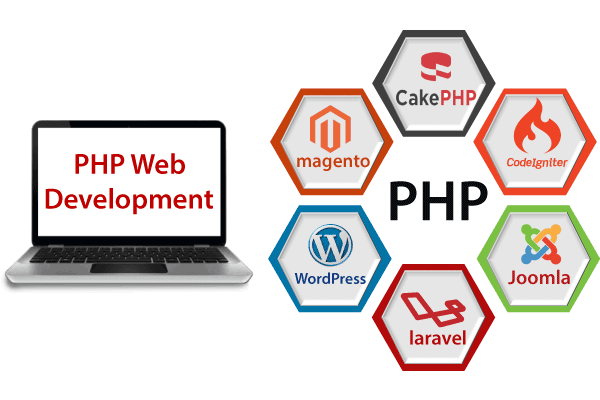
PHP is a general-purpose scripting language geared toward web development. It was originally created by Danish-Canadian programmer Rasmus Lerdorf in 1994. The PHP reference implementation is now produced by The PHP Group
MySQL
MySQL is a mix of "SQL," the acronym for a structured query language, and the name of co-founder Michael Widenius's daughter.
java script
Javascript is one of the most fundamental elements of the world wide web.98% of websites will employ JavaScript on the client side as of 2022 to control how web pages behave, frequently integrating third-party libraries.
JQuery
jQuery is a JavaScript library created to make event handling, CSS animation, Ajax, and DOM tree navigation and manipulation easier.
PHP Course
FULL STACK -
- Introduction to Full Stack.
- Understanding the Web and HTTP
- Overview of frontend and Backend.
TECH STACK-
PHP
- Introduction to full Stack using PHP as Backend and DB as MySql
FRONTEND-
HTML-
- HTML Basics: Elements (Block Level Elements and Inline Elements) Attributes, and Tags
- HTML Forms, Tables, Lists, and Semantic Tags
CSS-
- CSS: Types of CSS, CSS Selectors, CSS Properties and Values
- CSS Box Model, Flexbox, and Grid Layout
- CSS Transformation Properties, Transition Properties
- CSS Animations Offline and Online Animation
- Responsive Web Design with Media Queries
HTML and CSS Framework-
- Bootstrap
- Tailwind
JavaScript-
- JavaScript Syntax, ways to embed JS with html and Variables
- Data Types and Operators
- Control Structures: Conditional Statements, Looping Statement, Branching Statements
- Functions (Regular way of creating a function and Arrow Functions) and Scope of Function
- Manipulations on the Strings using String Methods
- Manipulations on the Array using Array Methods
- Dom Manipulation Basic Selectors, Query Selectors
- Events: Types of events, ways to embed events on html elements
- Creating Object of the predefined Methods, Manipulation with objects
- ES6 Features: Arrow Functions, Spread Operator, Destructuring
- Asynchronous JavaScript: Callbacks, Promises, Async/Await
- Working with APIs (AJAX, Fetch API)
- JavaScript Modules and Import/Export, Error Handling with Try Catch Exception handling Methods
- Local Storage, SessionStorage, and Cookies
PHP-
- Introduction to PHP
- Setting up a PHP development Environment
- PHP Syntax, Variables and data type
- PHP control Structure: Conditional statements, loop and branching
- Functions in PHP: Defining and Calling function, php arrow functions, Anonymous recursive function
- PHP Array and array Functions in PHP
- PHP string functions, PHP math Functions
- PHP functions like: Map Function, Stack Function, Queue Function, Priority Queue Function, Deque Function, Vector Function
- PHP DOM(Document Object Model) Function
- Passing Arguments and Return values
- Understanding form handling GET and POST methods
- Validating user inputs
- Understanding the working with files reading and writing into files file uploads using PHP filesystem Function
- Understanding session and cookies, superglobals
- http GET and POST methods in PHP
- Regular Expressions, date and time, php include and require, understand and implements callback in php
- PHP OOP’s: PHP classes, PHP Constructors and Destructors, Access Specifiers
- PHP constants, PHP interface, static functions in PHP, PHP namespace
MYSQL Database-
- Introduction to MySQL Database
- Installing and setup the MySQL Database
- Server installation and setup: XAMPP, LAMP, WAMP
- Understanding the server and clients Relationship
- Understanding the SQL, SQL commands, ACID properties
- Install and setup MySQL Workbench: working on the mysql workbench perform CRUD operations
- Creating MySQL Database
- Creating connection to MySQL server from PHP script using MYSQLi
- Understanding the CRUD operations
- Implements CRUD operation on the database relation
- Understanding the constraints, data aggregation on the relations inside the database
- MySQL Limit Clause, PHP Queries- Select Query, Delete Query, Where Clause, Update Query
Start with HTML
For creating adaptable, beautiful, and user-friendly websites, HTML and CSS work together seamlessly. While CSS is used to present the website, HTML (Hyper Text Markup Language) is utilised to display content on the page. HTML is a mark-up language, not a programming language, as it explains the semantic structure of a Website together with display cues. HTML enables the embedding of objects and pictures, and it may be used to develop interactive forms.
- HTML5 Syllabus:-
- Architecture of a website
- Different technologies in making the website
- Web Development Introduction
- History of HTML
- What you need to do to get going and make your first HTML page
- What are HTML Tags and Attributes?
- HTML Tag vs. Element
- HTML Attributes
- HTML Basic Tags
- HTML Formatting Tags
- HTML Color Coding
- Div and Span Tags for Grouping
- Unordered Lists
- Ordered Lists
- Definition list
- Image and Image Mapping
- URL – Uniform Resource Locator
- URL Encoding
- < table >
- < th >
- < tr >
- < td >
- < caption >
- < thead >
- < tbody >
- < tfoot >
- < colgroup >
- < col >
- Using Iframe as the Target
- < input >
- < textarea >
- < button >
- < select >
- < label >
- Title
- Base
- Link
- Styles
- Script
- Meta
- HTML Meta Tag
- XHTML
- HTML Deprecated Tags & Attributes
COURSE CONTENTS OF CSS
Why Learn CSS?
Without CSS, every web page would be drab plain text and images that flowed straight down the page. With CSS, you can add color and background images and change the layout of your page — your web pages can feel like works of art!
Take-Away Skills:
You will learn many aspects of styling web pages! You’ll be able to set up the correct file structure, edit text and colors, and create attractive layouts. With these skills, you’ll be able to customize the appearance of your web pages to suit your every need!
- CSS Syllabus:-
- What is CSS?
- How CSS Works?
- Types of CSS,Internal,Inline,External
- CSS Selectors
- Comments In CSS
- How to Link External CSS
- Selectors : Class or Elements
- Colors
- Height / Width
- Border
- Margin and Padding
- CSS Box Model
.
- Aligning Div
- Two Div Align
- Three Div Align
- Four Div Align
- Use of floats
- Clearing float
- Inline or Block Element
- Background Color
- Background Image
- Background Position
- Background Attachment
- Gradient Colors
- Image Sprite
- Text Alignments
- Line height(Leading)
- Letter Spacing(Kerning)
- Font Family
- Font Size with Font Weight
- Tips For Improving Text Readability
- Use of Font Awesome
- Use of Flat Icons
- Use of Google Fonts
- Static Position
- Fixed Position
- Absolute Position
- Relative Position
- Creating Menu
- Menu With Multi Dropdown
- Border
- Border Image
- Rounded Corner
- Box Shadow
- Text Shadow
- Outline
- Outline Offset
- Resize
- Object Fit : Fill
- Object Fit : Contain
- Object Fit : Cover
- labels with inputs
- Form-based selectors
- Changing properties of form elements
- Formatting text in forms
- Formatting inputs
- Formatting form areas
- Changing the appearance of buttons
- Laying out forms
- translate
- rotate
- skew
- scale
- Hover Effects
- Transitions
- Animations
- Creating Web Ads Using Animation
COURSE CONTENTS OF JAVA SCRIPT
- Where does Java Script Fit in?
- Comparing Products
- Comparing Java Script to Java
- The Purpose of Java Script
- Prerequisites
- Using Java Script in an HTML Document
- Hiding Java Script from old Web Browsers
- Text Formatting & Layout
- Hypertext Links & Anchors
- Tables
- Forms
- Frames
- Basic Commands
- Overview of Variables
- Assigning Values to Variables
- Concatenating String Variables
- Creating & Calling Function
- Sending Parameters to a Function
- Receiving Parameters out of a function
- Variable scope & Lifetime
- Functions Called by Events
- If Structure
- If Else Structure
- For Loop
- While Loop
- For/in Structure
- Unary Operators
- Numeric Operators
- Logical Operators
- Length
- Converting to all Upper or Lower Case
- Index of
- Last Index of
- Char At
- Standard Java Script Functions
- Creating an Object
- Adding Functions to an Object
- Multiple Instances of an Object type
- Accessing the History Object
- Creating Buttons
- Go Method
- Creating a Date Object
- Setting the Date & Time by a Single String
- Separating Variables with Commas
- Displaying the Date & Time
- Time Zones
- Extracting the Date
- Extracting the Hrs
- Set Date Method
- Set Time
- Non-Data Object Functions
- Creating an Array
- For Loop
- Time Status
- Buttons
- Loading a Web Page from the Clients Hard Drive
- Receiving a Document off the Web Server
- Anchors & Hypertext Links
- Tracking the on Click Event
- Button Objects
- Text Objects
- Text Area Objects
- Hidden Objects
- Check Box Objects
- Radio Button Objects
- Selecting Objects
- On Change Events
- The Cookie Property
- Setting the Cookie Property
- GetCookie()
- SetCookie()
- DeleteCookie()
- Scope
- Lifetime
- Static Calendar
- Dynamic Calendar
- Functions for Up-Dating the Calendar
- Assigning Values to the Dates of the Month
Math Object
- Constants
- Circumference Calculator Application
- Functions
Frames
- Referencing Objects in Other Frame
- Event Calendar
Shopping Cart Application
- Order Entry on the Web
- Looking at the Parent Object
- Creating an Array of Objects
- Ordernow Function
- Order Form
Form Validation
- Trapping Empty Fields
- Finding Invalid Values
- Intercepting the Submit Button
Using Java Applets
- Integrating Java Applets with HTML
Course Content Covered in JQuery Training Course
- The mobile space today
- Advantages
- Challenges
- Native vs. web, is really a question?
- What is JQM?
- What is not jQM?
- What is a webapp?
- Why jQM?
- Features
- Compatibility
- Requirements
- HTML5 in a small nutshell
- Why HTML5?
- What do we need to know about HTML5 for jQM
- Basic template
- Testing HTML5 documents
- Emulators, Simulators & more
- Viewports on mobile browsers
- Custom data-* attributes
- Architecture
- Self hosted vs. CDNs
- Main template
- CDNs available
- Main template
- Support on IDEs
- Roles
- Theming
- Headers and footers basics
- Mandatory items in a page
- Working with HTML in the content
- Navigation
- Internal page navigation
- External page navigation
- Understanding AJAX on mobile browsers
- Absolute external links
- Mobile Special links
- Transitions
- Dialogs
- Prefetching
- Integration with the Phone
- Customizing toolbars
- Positioning toolbars
- Navigation Bars
- Persistent footers and navigation
- Collapsible content
- Acoordions
- Working with columns
- Creating buttons
- Inline buttons
- Grouped buttons
- Icons
- Custom icons
Lists
- Creating lists
- Full-page vs inset-lists
- Visual separators
- Nested lists
- Interactive rows
- Split button rows
- Row icons
- Thumbnails
- Count bubbles
- Aside content
- Title and Description
- Filtering data
- AJAX vs. non-AJAX forms
- Automatic form behaviour
- Labeling
- Field containers
- Text fields
- Slider
- Slider switch
- Select menus
- UI Select menus
- Radio Buttons
- Checkboxes
- File Upload
- Validation using HTML5
The framework and JavaScript
- Using jQuery inside jQuery Mobile
- $.mobile element
- The mobileinit event
- Configuring defaults
- Touch events
- Orientation events
- Scroll events
- Page events
- Virtual mouse events
- Managing navigation through JavaScript
Dynamic data with jQuery Mobile
- HTML5 vs AJAX
- Bringing JSON data to jQuery Mobile
- Updating form controls
- Updating lists
- Implementing Infinite list pattern
Extending the framework
- Using plugins
- The top 5 plugins for jQuery Mobile
- Creating our own plugin
- Plugin architecture
- Understanding CSS architecture
- Define our own CSS patch
- Changing CSS behavior
Managing data with HTML5
- Using Web Storage and WebSQL
- Using geolocation
Packaging for installation and stores
- The offline manifest
- Full-screen webapps for iOS
- What is a hybrid
- PhoneGap vs other alternatives
Packaging a sample application
Course Content Covered in PHP Training Course
- Quick Start for Programmers
- PHP Language Overview
- Variables, Datatypes, Operators
- Escaping Special Characters
- Conditional Statement
- Conditionals
- If Statement
- Switch Statement
- Loops
- For Loop
- While Loop
- Foreach Loop
- Loop Control (break and continue)
- Nested Loops
Functions
- Function Definition
- Function Scope
Array
- Arguments and Return Values
- Indexed Versus Associative Arrays
- Identifying Elements of an Array
- Storing Data in Arrays
- Multidimensional Arrays
- Extracting Multiple Values
- Converting Between Arrays and Variables
- Traversing Arrays
- Sorting
- Acting on Entire Arrays
- Using Arrays
Form with Php
- Form Processing
- Review of HTML Forms (check boxes, text fields, radio buttons)
- Retrieving Form Data
- The GET and POST method
- Submitting to Itself
Regular Expression
- Validating User Input with Regular Expressions
- Intro to Regular Expression Metacharacters
- Verifying Email Addresses, ZIP code, Phone Numbers, Credit Cards
- PCRE Functions
- Quoting String Constants
- Printing Strings
- Table of Contents
- Accessing Individual Characters
- Cleaning Strings
- Encoding and Escaping
- Comparing Strings
- Manipulating and Searching Strings
- Regular Expressions
- POSIX-Style Regular Expressions
- Perl-Compatible Regular Expressions
- File Handling
- Files and Directories
- Read and Writing Files
- Working with Directories
- Working with CSV Files
- About File Permissions
- Introduction to SQL
- Connecting to the MYSQL
- Selecting a database
- Finding out about errors
- Adding data to a table
- Acquiring the value
- Finding the number of rows
- Inserting data
- Entering and updating data
- Executing multiple queries
- Ascending and Descending Sorts
- The WHERE Clause and Operator Symbols
- Checking for Equality
- Checking for Inequality
- Checking for Greater or Less Than
- Checking for NULL
- WHERE and ORDER BY
- The WHERE Clause and Operator Words
- The BETWEEN Operator
- The IN Operator
- The LIKE Operator
- The NOT Operator
- Checking Multiple Conditions
- AND
- OR
- Order of Evaluation
- Sub queries, Joins and Unions
- Sub queries
- Joins
- Table Aliases
- Multi-table Joins
- Outer Joins
- Unions
- UNION ALL
- UNION Rules
- Inserting, Updating and Deleting Records
- INSERT
- UPDATE
- DELETE
- Managing Data
- The anatomy of a cookie
- Setting a cookie with PHP
- Deleting a cookie
- Creating session cookie
- Working with the query string
- Creating query string
Mysqle
why use MySQL
MySQL tutorial provides basic and advanced concepts of MySQL. Our MySQL tutorial is designed for beginners and professionals.
MySQL is a relational database management system based on the Structured Query Language, which is the popular language for accessing and managing the records in the database. MySQL is open-source and free software under the GNU license. It is supported by Oracle Company.
Our MySQL tutorial includes all topics of MySQL database that provides for how to manage database and to manipulate data with the help of various SQL queries. These queries are: insert records, update records, delete records, select records, create tables, drop tables, etc. There are also given MySQL interview questions to help you better understand the MySQL database.
What is Database?
It is very important to understand the database before learning MySQL. A database is an application that stores the organized collection of records. It can be accessed and manage by the user very easily. It allows us to organize data into tables, rows, columns, and indexes to find the relevant information very quickly. Each database contains distinct API for performing database operations such as creating, managing, accessing, and searching the data it stores. Today, many databases available like MySQL, Sybase, Oracle, MongoDB, PostgreSQL, SQL Server, etc. In this section, we are going to focus on MySQL mainly.
WordPress Training Course
- Why CMS
- Advantages and Disadvantages of CMS
- com vs. WordPress.org
- Setting up WordPress in Local Server
- Setting up WordPress in Remote Server
- Upgrading WordPress
- Understanding FTP
- WordPress Admin
- Creating Users
- User Rights & Roles
- Free theme Vs Paid Theme
- Theme Selection Process
- Adding/installing Themes
- Changing Themes
- Preview & Activating Themes
- Installing widgets in sidebar
- Installing widgets in footer
- Creating menus
- Adding pages, posts, categories to menus
- Creating Sub-menus
- Deleting items from menu
- Installing plugins
- Activating Plugin & managing plugins
- Upgrading plugins
- Recommended Plugins
- Posts Vs Pages
- Adding Hyperlinks
- Playing with Media content
- Previewing and Editing Posts
- Previewing and Editing Pages
- Page Order
- Creating a post
- Adding Media files to content –images and videos
- Using Categories and Tags
- Creating Pages
- Page Hierarchy
- General settings
- Reading
- Media
- Writing settings
- Discussion
- Permalinks
- Enhancing WordPress Security

My Sqle
The relational database management system MySQL is free and open-source. The word "My" is a mix of "SQL," the acronym for a structured query language, and "My," the name of co-founder Michael Widenius's daughter.
Laravel
Laravel is a free, open source PHP web application framework, designed for the development of model-view-controller (MVC) web applications.
Cake PHP
CakePHP is an open-source web framework. It follows the model–view–controller approach and is written in PHP.
CodeIgniter Php
CodeIgniter is an open-source software rapid development web framework, for use in building dynamic web sites with PHP.
Yii 2
Yii is an open source, object-oriented, component-based MVC PHP web application framework.
Zend Framework
Laminas Project is an open source, object-oriented web application framework implemented in PHP 7 and licensed under the New BSD License.
Apply here
| PHP Course Fee and Duration | |||
|---|---|---|---|
| Track | Regular Track | Weekend Track | Fast Track |
| Course Duration | 150 - 180 days | 28 Weekends | 90- 120 days |
| Hours | 2 hours a day | 3 hours a day | 6+ hours a day |
| Training Mode | Live Classroom | Live Classroom | Live Classroom |